
This guide walks through impersonation end-to-end - from the SuperAdmin clicking “Impersonate” in the admin console, through the impersonated session, to the audit trail and revocation. For the underlying mechanics - grant aggregate, jti revocation list, IGlobalEntity persistence - see the security reference. For the cross-tenant root-operator override, see the multitenancy deep-dive.
When to impersonate
The legitimate uses:
- Reproduce a user-reported bug that depends on their data, role, or tenant context. “I can’t see the audit log” - impersonate to verify.
- Validate a fix before telling the user “try again”. Avoids “works on my machine” theater.
- Recover an account when the user can’t access their own data and you need to make a change on their behalf.
- Onboard a new tenant by impersonating their admin user during initial setup.
What it’s not for:
- Routine UX testing - use a seeded test user instead.
- Looking up data on a user without their consent.
- Bypassing your own permission system. The token carries the impersonated user’s permissions, so it can’t reach anything they couldn’t already.
End-to-end walkthrough
1. Open the admin console
The admin console lives at clients/admin/ and runs (by default) at http://localhost:5173 in dev or your production admin domain.
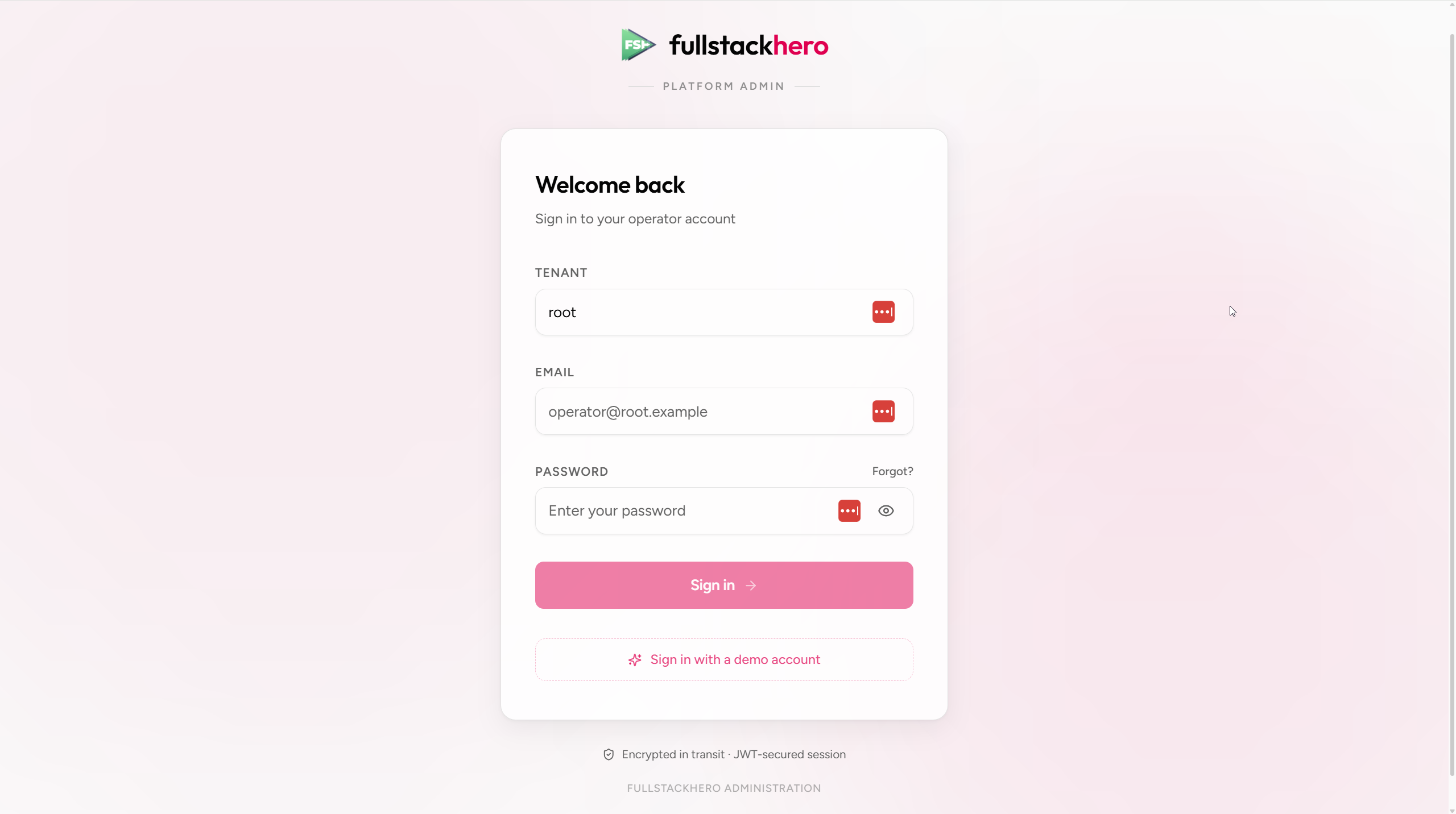
Sign in as a SuperAdmin (a user with the Identity.Impersonation.Start permission). For impersonation to work cross-tenant, the SuperAdmin’s tenant should be root.
2. Find the target user
Navigate to Users → All users. The list shows every user across every tenant if you’re a SuperAdmin; otherwise scoped to your own tenant.
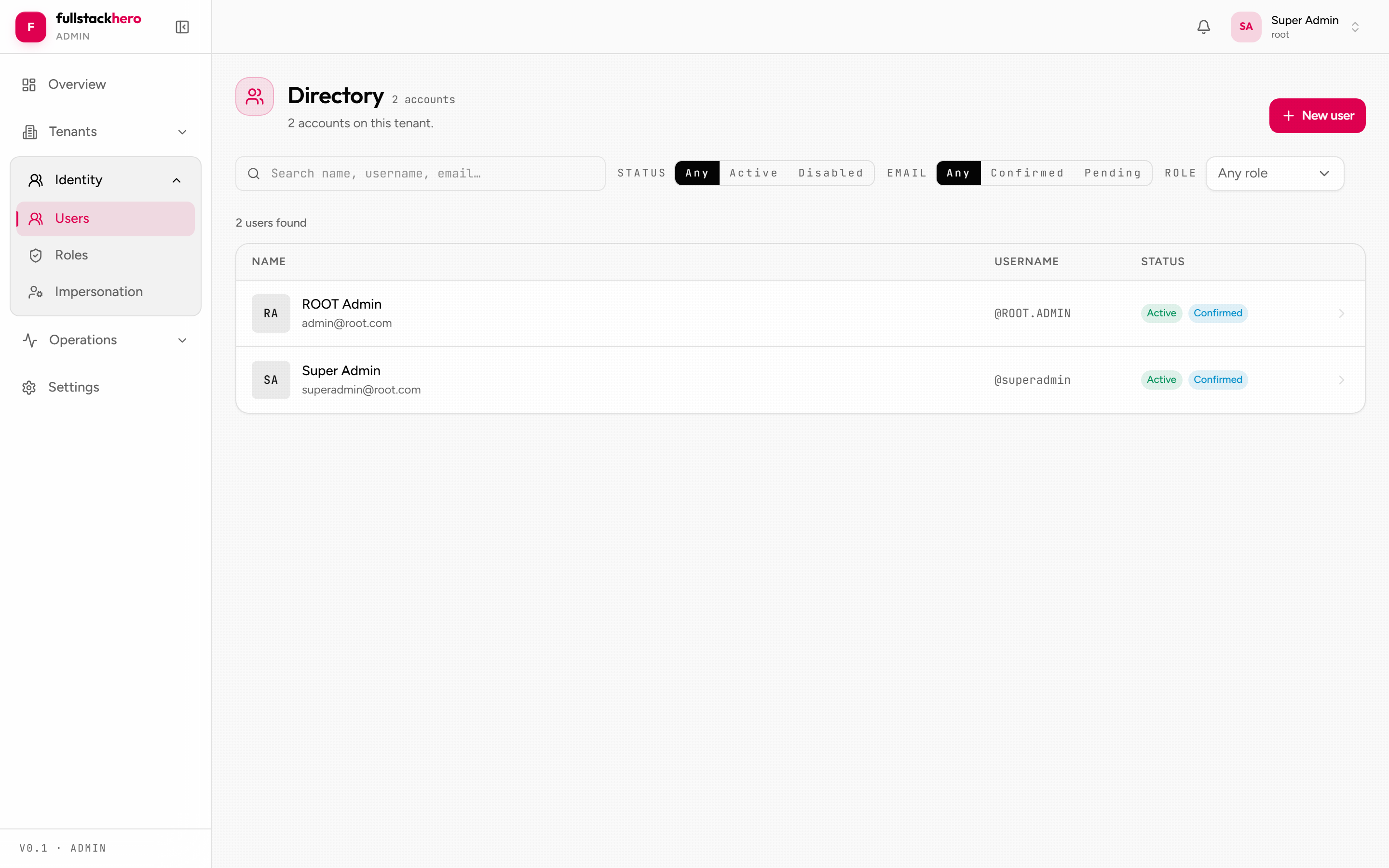
Impersonation itself is launched from the tenant’s detail page - open Tenants, pick the tenant the user belongs to, and click Impersonate user (the action is gated by Identity.Impersonation.Start). The dialog carries its own user search, so you select the exact target there.
3. Start a grant
In the Impersonate user dialog, search for and select the target user, then set:
- Duration - 10 / 15 / 30 minutes (configurable). 30 minutes is the default; pick the shortest window that fits the investigation.
- Reason - mandatory free text. “Investigating ticket #4127 - user can’t upload invoice PDF.” This text lands in the audit trail; future you will appreciate the specifics.
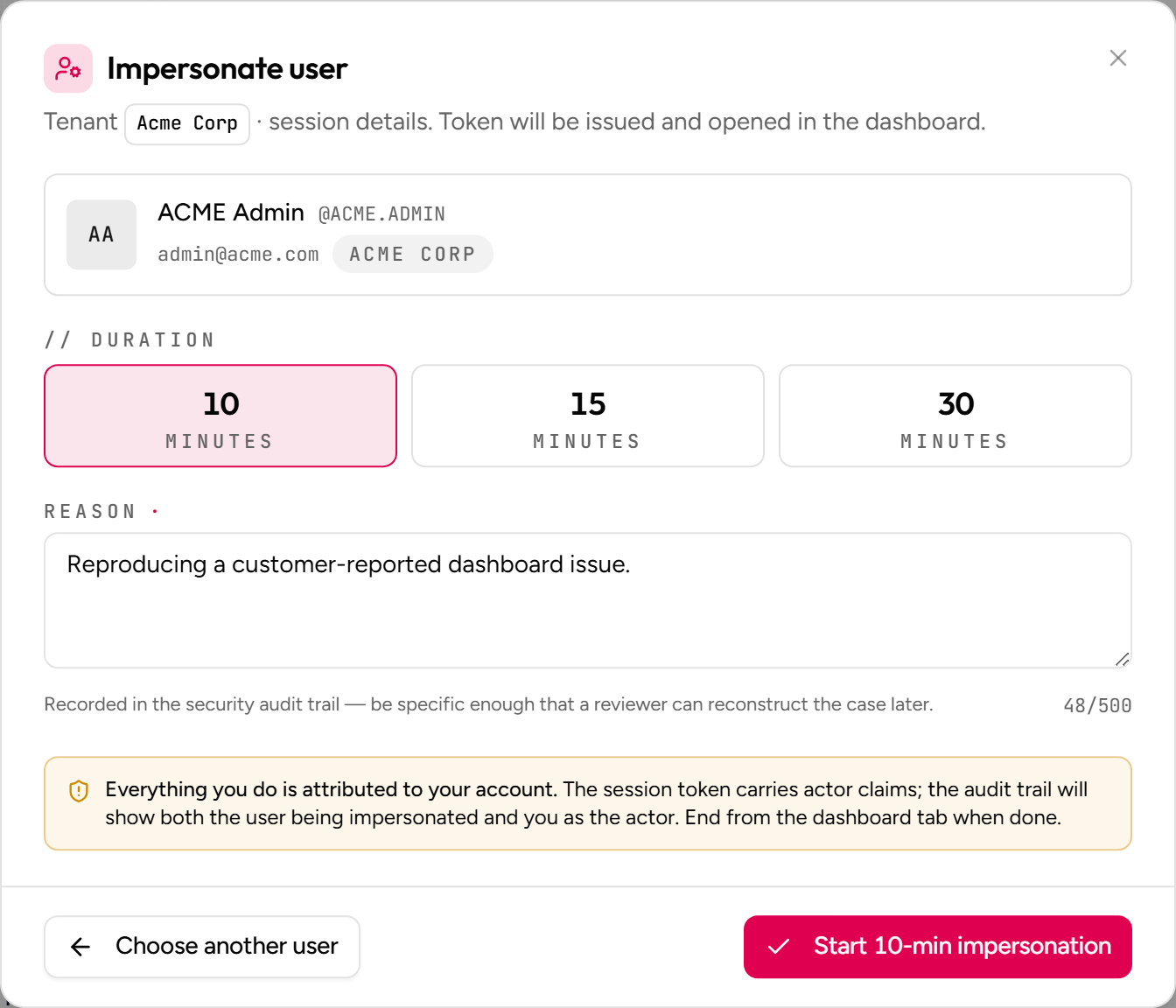
Click Start. The admin console:
- Calls
POST /api/v1/identity/impersonation/startwith the form payload. - Receives the impersonation access token in the response.
- Opens a new tab pointed at the tenant dashboard (or wherever the impersonated user’s home is), authenticated with the impersonation token +
tenant: <impersonatedUserTenant>header.
You’re now seeing what the user sees.
4. Act as the user
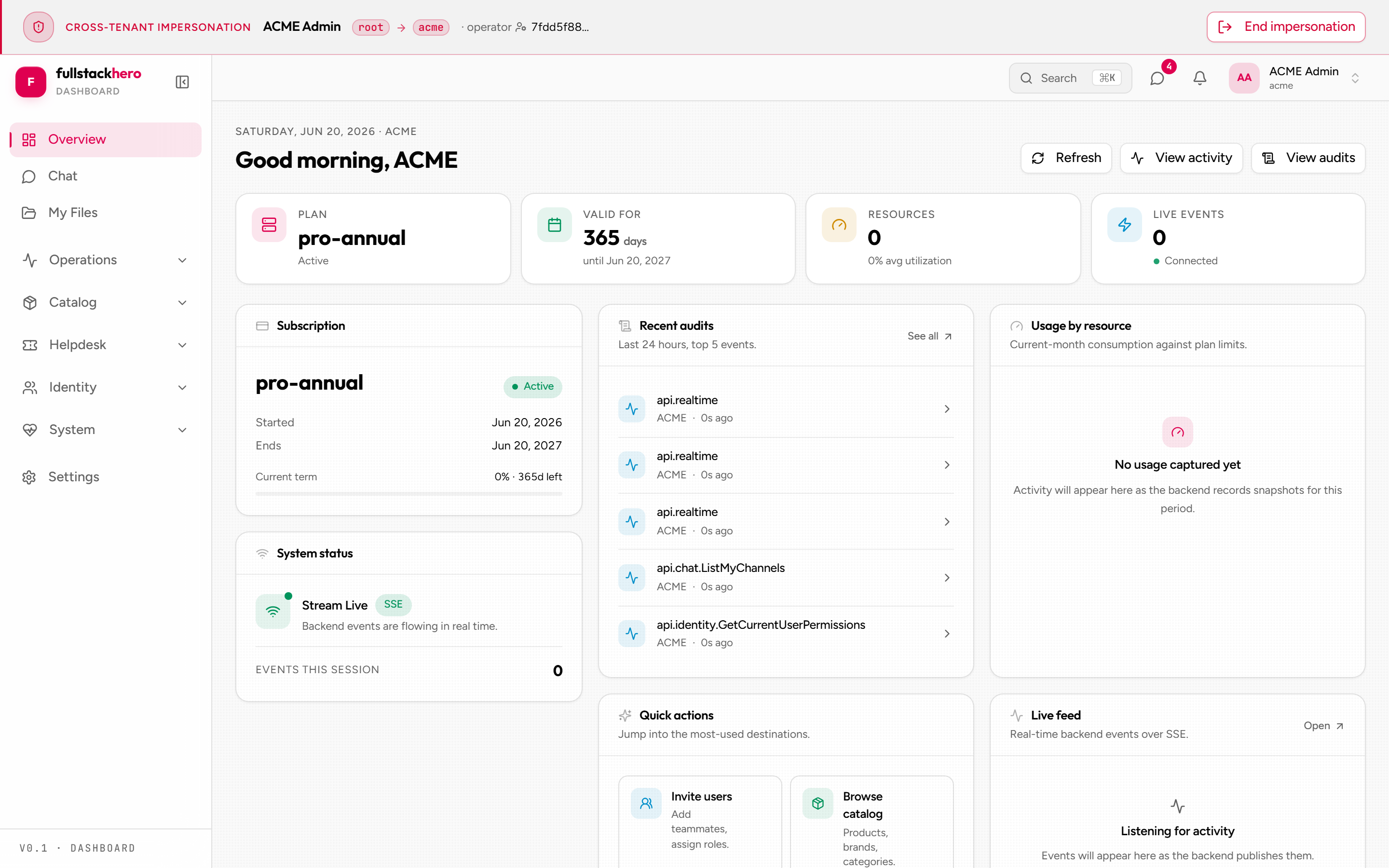
The new tab behaves exactly as if the user signed in themselves. Same dashboard, same permissions, same data. There’s no UI badge by default - that’s deliberate; you’re testing the user’s experience, not a “you are impersonating!” wrapper.
5. End the session
When you’re done, three ways to end the grant:
- Click “End impersonation” in the impersonated dashboard tab (cleanest) - the banner at the top of that tab carries the button.
- Close the impersonated tab and ignore the token - the grant stays active until it expires; safe but messy.
- Let it expire naturally after the duration ends; the token stops working at that instant.
The kit’s recommended pattern is option 1 - explicit termination via the API:
POST /api/v1/identity/impersonation/endAuthorization: Bearer <impersonation-token>…which sets EndedAtUtc on the grant. The dashboard fires this automatically when you click End impersonation in the impersonation banner.
6. Revoke (emergency kill)
If you need to kill an in-progress impersonation immediately - the operator left it open and walked away, the operator is no longer trusted, something went sideways - go to Impersonation → Active grants and revoke.
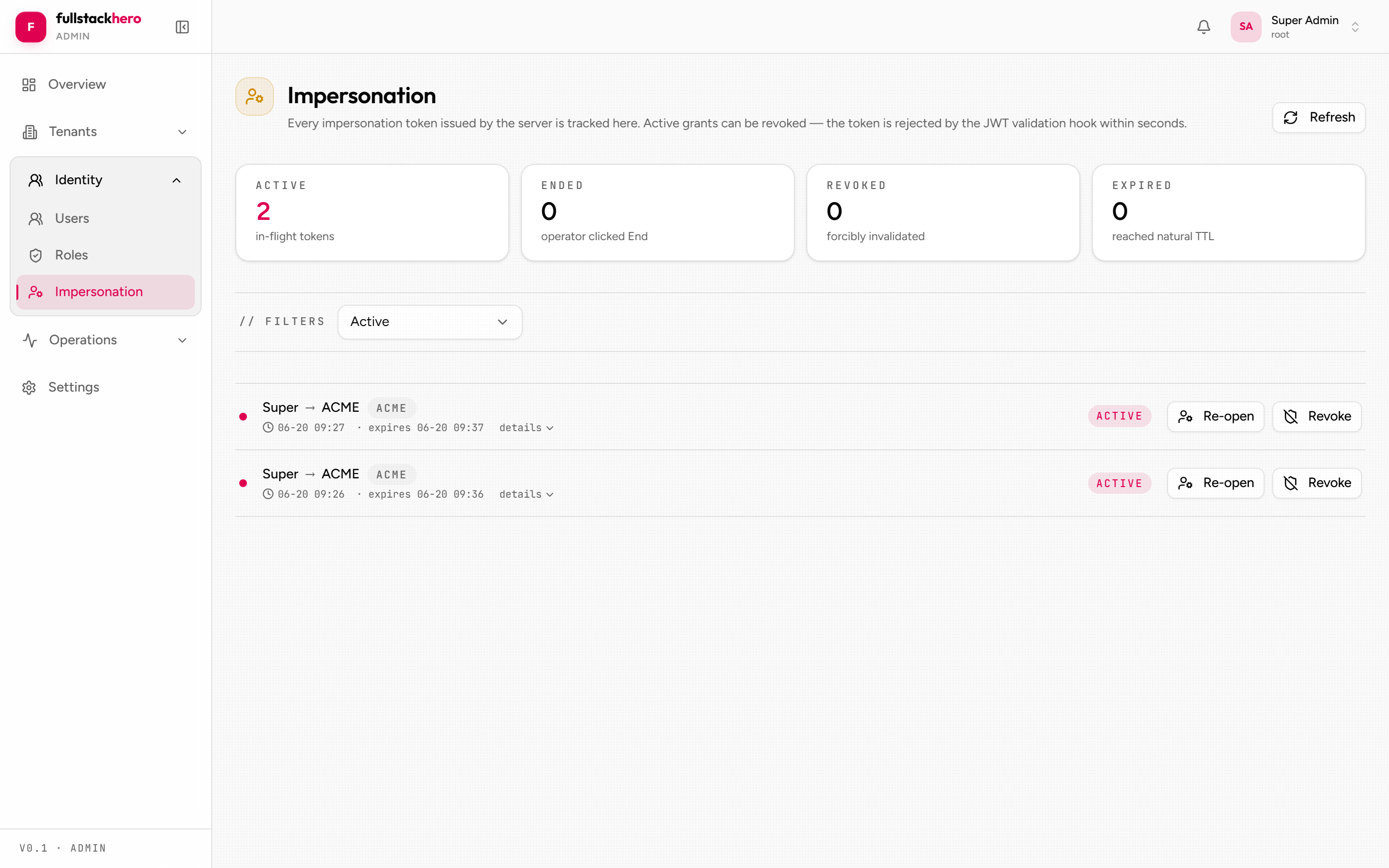
Click the Revoke action; supply an optional reason; confirm. The grant transitions to Revoked, the audit trail captures who revoked it and why, and the next request the impersonation token tries to make fails with 401.
7. Read the audit trail
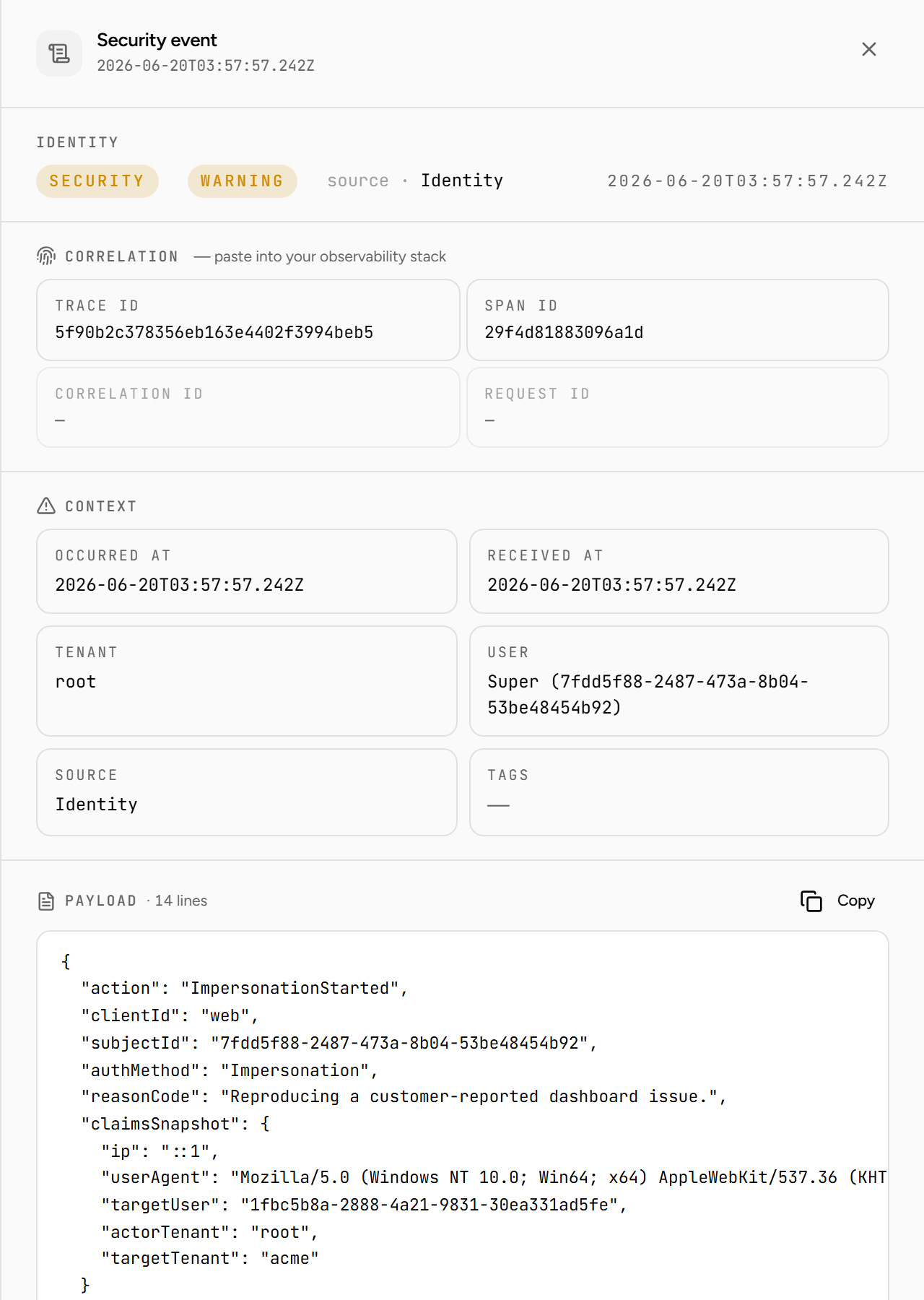
Navigate to Audits and filter by the Security event type - impersonation actions (ImpersonationStarted, ImpersonationEnded, ImpersonationRevoked) are recorded as security events.
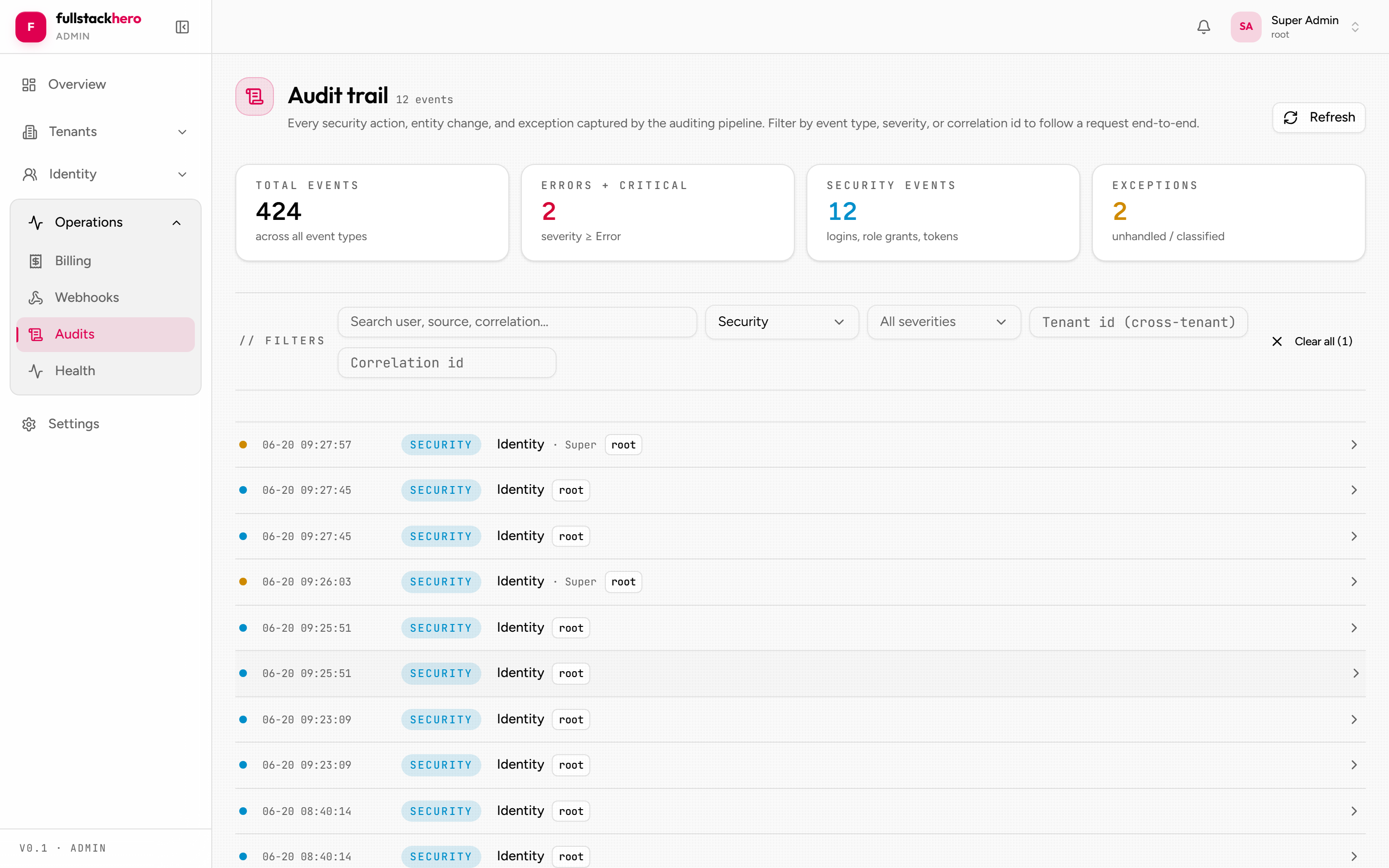
Click any row to open its detail sheet - the payload carries every field the grant captured.
Cross-tenant impersonation
A SuperAdmin in the root tenant can impersonate a user in any other tenant. The flow is identical to the single-tenant case from the SuperAdmin’s perspective - the admin console figures out the cross-tenant case automatically.
Under the hood:
- The impersonation grant is
IGlobalEntity- it lives outside the tenant filter, so the SuperAdmin can query / create grants regardless of the current tenant context. - The minted access token carries the impersonated user’s tenant in the
tenantclaim. - The Multitenancy module’s post-auth middleware re-resolves the tenant from this claim before requests reach handlers, so EF Core’s global query filter scopes to the impersonated user’s tenant.
The admin console adds the right tenant: <target-tenant> header to outbound calls automatically. From the operator’s point of view, it just works.
For why this needs post-auth middleware (Finbuckle’s claim strategy resolves the operator to root before the header is read), see the multitenancy deep-dive.
Audit query examples
Every impersonation in the last 7 days
GET /api/v1/audits/security ?action=ImpersonationStarted,ImpersonationEnded,ImpersonationRevoked &fromUtc=2026-05-12T00:00:00Z &pageSize=50All impersonations by a specific actor
GET /api/v1/audits/security ?action=ImpersonationStarted &userId=<actor-user-id> &pageSize=100All impersonations targeting a specific user
GET /api/v1/audits ?eventType=Security &search=ImpersonatedUserId=<target-user-id>The search parameter does a substring match against the JSON payload, so it works for any field stored in MetadataJson.
Operational policies
A small set of policies pay for themselves quickly:
- Mandate
reasonon every start. The kit’s validator already enforces non-empty; reject one-word reasons in code review. - Set a short default duration. 15 minutes is plenty for most investigations. Forgotten 4-hour sessions are the most common operational issue.
- Alert on suspicious patterns. One operator impersonating ten users in an hour is either incident response or a security event. Both are worth a Slack ping.
- Audit retention. Set
Auditing:Retention:SecurityRetentionDays = 365or longer. Impersonation events are the bread and butter of post-incident review. - Train operators. Impersonation is an investigation tool, not a debugging shortcut. “I just wanted to see what they see” is a red flag.
Common questions
Can a user tell they’re being impersonated?
Not from the impersonated session - the impersonation token looks identical to a regular access token from the inside. They can tell from the audit log if they have permission to read their own audit events.
If you want active notification (a “your account was impersonated” email), add a handler on the SecurityAction.ImpersonationStarted audit event that calls IMailService.SendAsync(to: targetUser.Email, ...). ~30 LoC in your fork.
What if my admin loses their device mid-impersonation?
The impersonation token expires automatically at ExpiresAtUtc. For belt-and-braces, configure a low default duration (15 min) and rely on token expiry. For immediate kill, another admin revokes via DELETE /impersonation/grants/{id} - the kit serves the revoked status on the next request validation.
Can I impersonate myself?
No business reason to. The kit doesn’t block it explicitly (caller and target user ids can match), but it’s a hard “why?” in any code review.
Can impersonation be chained?
Operator A impersonates user B, then user B (with operator powers) impersonates user C? The kit blocks this - StartImpersonationCommand rejects requests whose token already carries an impersonation jti. There’s no impersonation-from-impersonation chain.
Related
- Security reference: impersonation - the underlying grant aggregate + lifecycle.
- Identity module - the full set of impersonation endpoints.
- Auditing module - how the audit trail is captured.
- Architecture: multitenancy deep-dive - the cross-tenant resolution mechanics.
- Frontend: admin console - the impersonation surface in the UI.