
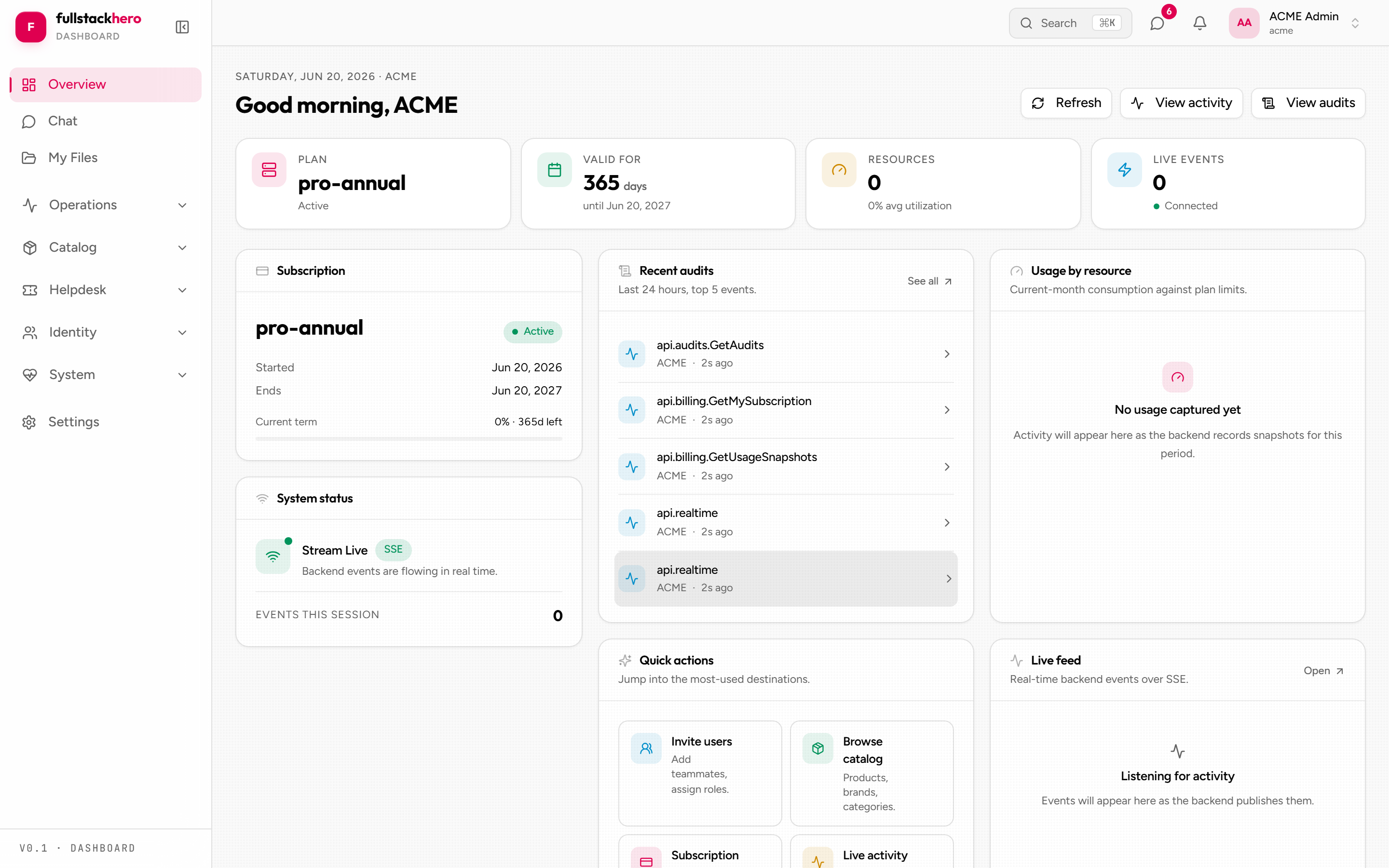
clients/dashboard is what your tenants’ users see when they log in. Catalog browsing, realtime chat, file uploads, ticket filing, invoices and subscription, tenant-scoped identity administration, profile management. It’s the surface your customers spend most of their time in, so it’s the one to invest UX care in first.
Tech stack
Same shape as the admin console - React 19 + Vite 7 + TypeScript + TanStack Query v5 + React Router 7 + Tailwind 4 + Radix + Lucide. Differences worth knowing:
| Used for | |
|---|---|
clients/dashboard/src/realtime/ | SignalR subscriptions (chat, notifications, presence) |
clients/dashboard/src/sse/ | Server-Sent Events - the live activity feed on Overview + Activity |
cmdk | Command palette (Ctrl/Cmd-K) |
@tanstack/react-virtual | Virtualised long lists (chat message history) |
The dashboard does not use react-hook-form or zod - those are admin-only; dashboard forms are plain controlled components. It subscribes to more realtime than admin - chat is a continuous-conversation surface, so SignalR is on the hot path.
Like the admin app, the dashboard auto-signs-out idle sessions - 20 minutes idle plus a 60-second warning, configured per-deploy in /config.json.
Page inventory
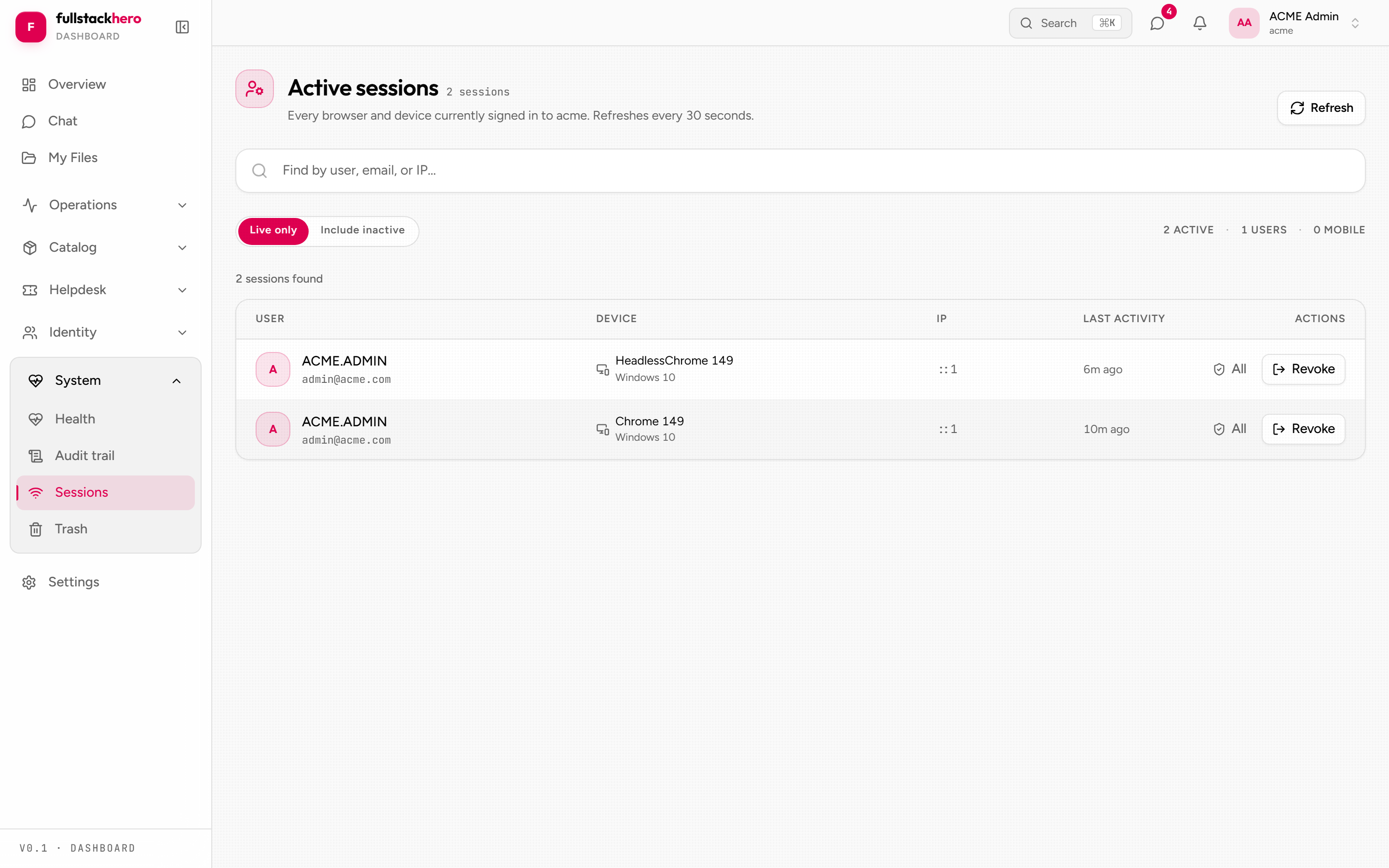
clients/dashboard/src/pages/├── overview.tsx Landing page - stats + live activity├── activity.tsx Full-page SSE activity feed├── auth/ Forgot/reset password, email confirmation (+ login.tsx)├── catalog/ Products, brands, categories, product detail├── chat/ Channels, DMs, threads, mentions, reactions, pinning, search├── files/ My files - presigned upload, list, download, delete├── identity/ Tenant-scoped admin: users, roles, groups (+ detail pages)├── invoices.tsx Invoice list + invoice-detail.tsx├── subscription.tsx Current plan + billing status├── settings/ Profile, security (2FA), appearance, branding, notifications, API keys├── system/ Sessions, trash (recycle bin) - plus health + audits routes├── tickets/ File ticket, list, detail, comments├── impersonation-ended.tsx Graceful landing when an operator grant ends└── tenant-deactivated.tsx Terminal page when the tenant is deactivated mid-sessionPlus shared chrome (sidebar, top bar, notification bell, command palette) in clients/dashboard/src/components/. Routes are lazy-loaded per page (clients/dashboard/src/routes.tsx).
A few notes:
- Settings → API keys is an honest “coming soon” placeholder, not a hidden 404.
- System → Trash is the cross-module recycle bin (products, brands, categories, tickets, files). Its tabs - and the nav entry itself - are permission-gated client-side to mirror the server’s restore/view-trash permissions, so users never click into a guaranteed 403.
- The dashboard has no per-route
RouteGuardlike admin; auth is enforced byProtectedRoute, and permission checks gate navigation entries + in-page actions.
Appearance + theming
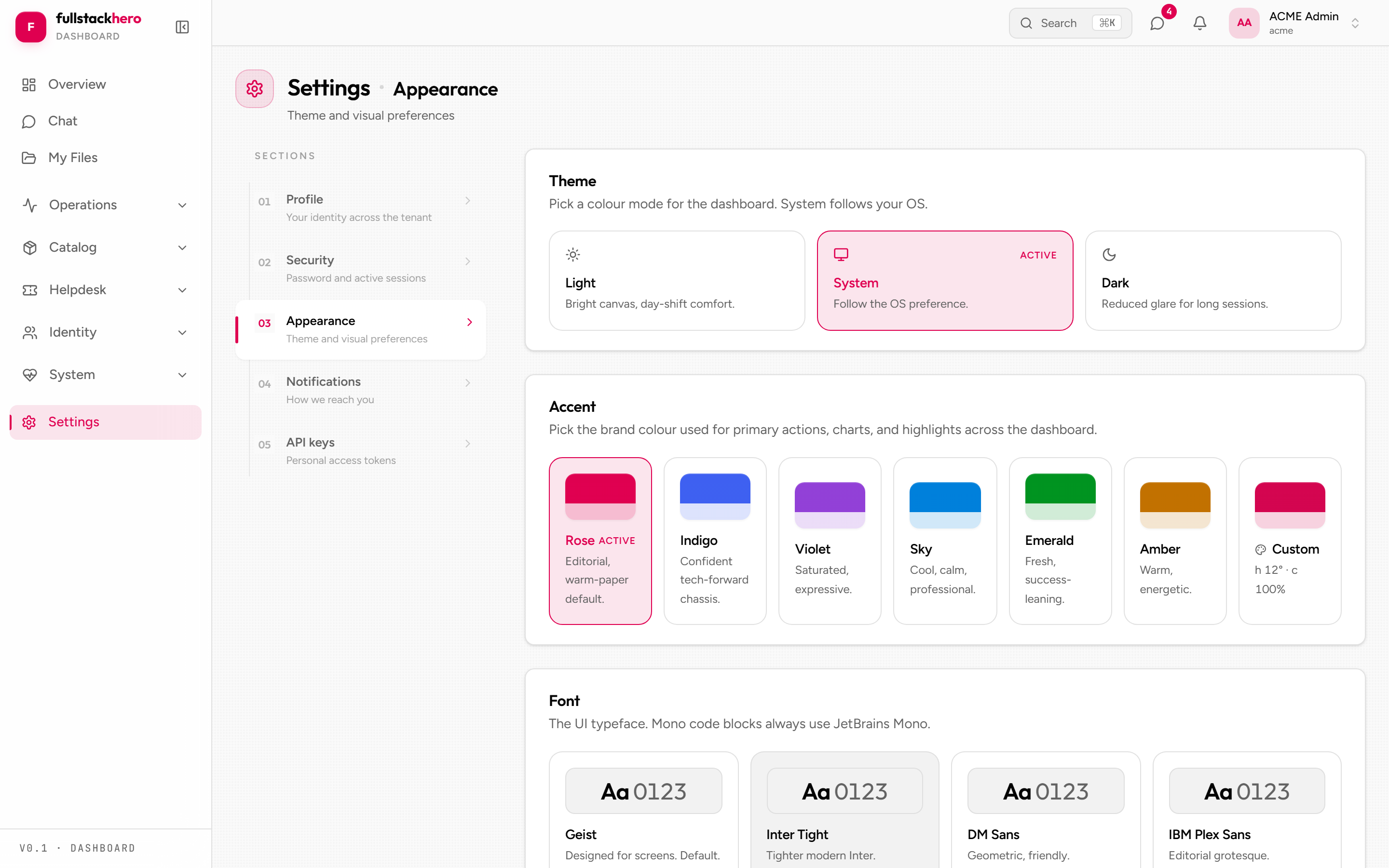
The dashboard’s appearance system is per-user: light/dark/system mode, an accent colour (presets or a custom hue), font, density, and reduced motion - all stored in localStorage and applied via CSS custom properties (Settings → Appearance). The neutral chassis is deliberately untinted so the accent does the branding work.
Per-tenant branding lives server-side as the Multitenancy module’s TenantTheme (palette, brand assets, typography, layout). A tenant admin edits their own tenant’s brand from Settings → Branding (light + dark palettes + logo/favicon URLs, with a live preview and reset-to-defaults) - the tab is permission-gated on Tenants.UpdateTheme and the calls are current-tenant-scoped (no tenant: header). Operators can still edit any tenant’s brand from the admin console. Full details: theming.
Chat - the realtime showcase
clients/dashboard/src/pages/chat/ is the densest page in either frontend. Slack-style channels with:
- Three channel kinds -
Channel(named),DirectMessage(1:1),GroupMessage(3+). - Message threads with reply count badges (replies hang off a
parentMessageId). - Emoji reactions (toggle on/off, one row per emoji + count).
- Pinned messages with a dedicated panel.
@mentionautocomplete viamention-picker.tsx(queries the tenant’s users as you type).- Typing indicators - the hub throttles per channel + user (~3 s); the client auto-clears stale markers.
- Cursor-paginated message history with virtualised infinite scroll.
- Real-time updates via SignalR - new messages, edits, deletes, reactions, channel reads.
- Message search via
/api/v1/chat/search.
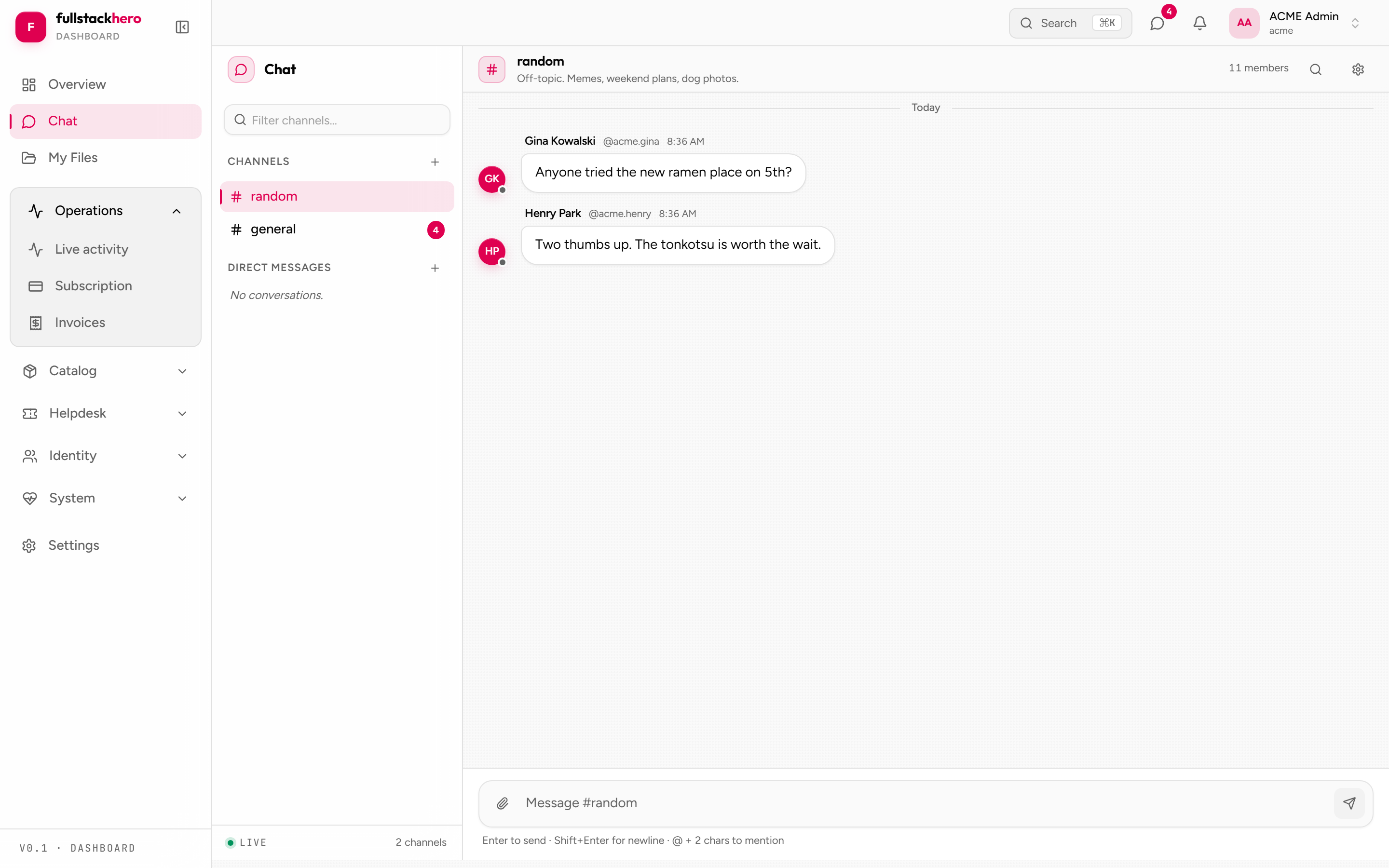
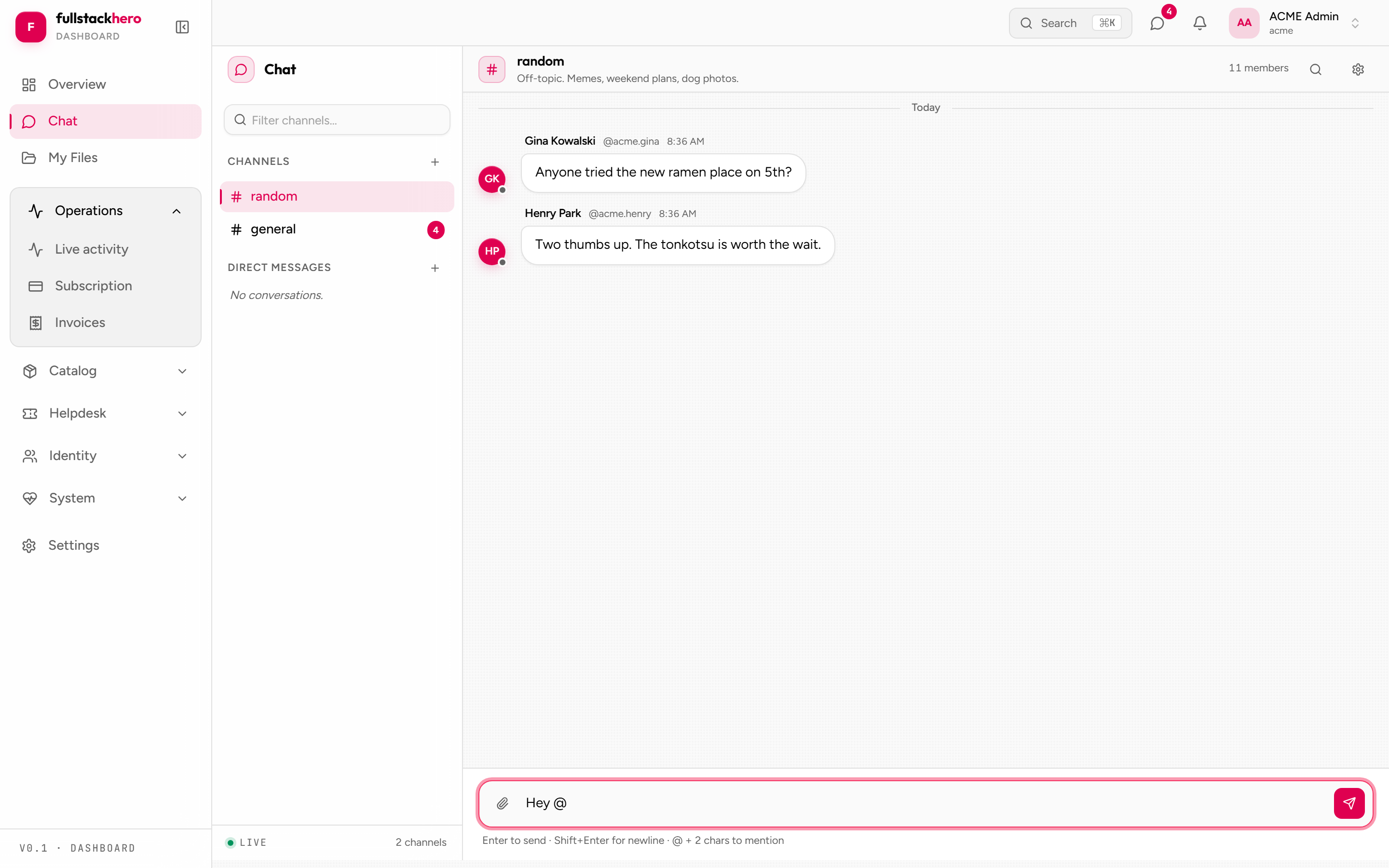
The chat page is the canonical example of how to build realtime UI against the kit’s hub. Components don’t touch the HubConnection directly - they subscribe through the realtime context:
// Simplified - see clients/dashboard/src/pages/chat/ for the real thinguseRealtimeEvent<MessageDto>("ChatMessageCreated", (msg) => {  queryClient.setQueryData(/* append to the channel's message cache */);});
// Hub methods (e.g. typing notifications) go through invoke():const { invoke } = useRealtime();void invoke("Typing", channelId);
useRealtimeEvent(event, handler) and useRealtime() come from realtime-context.tsx, which owns one shared connection. One connection, many subscriptions.
Catalog - products, brands, categories
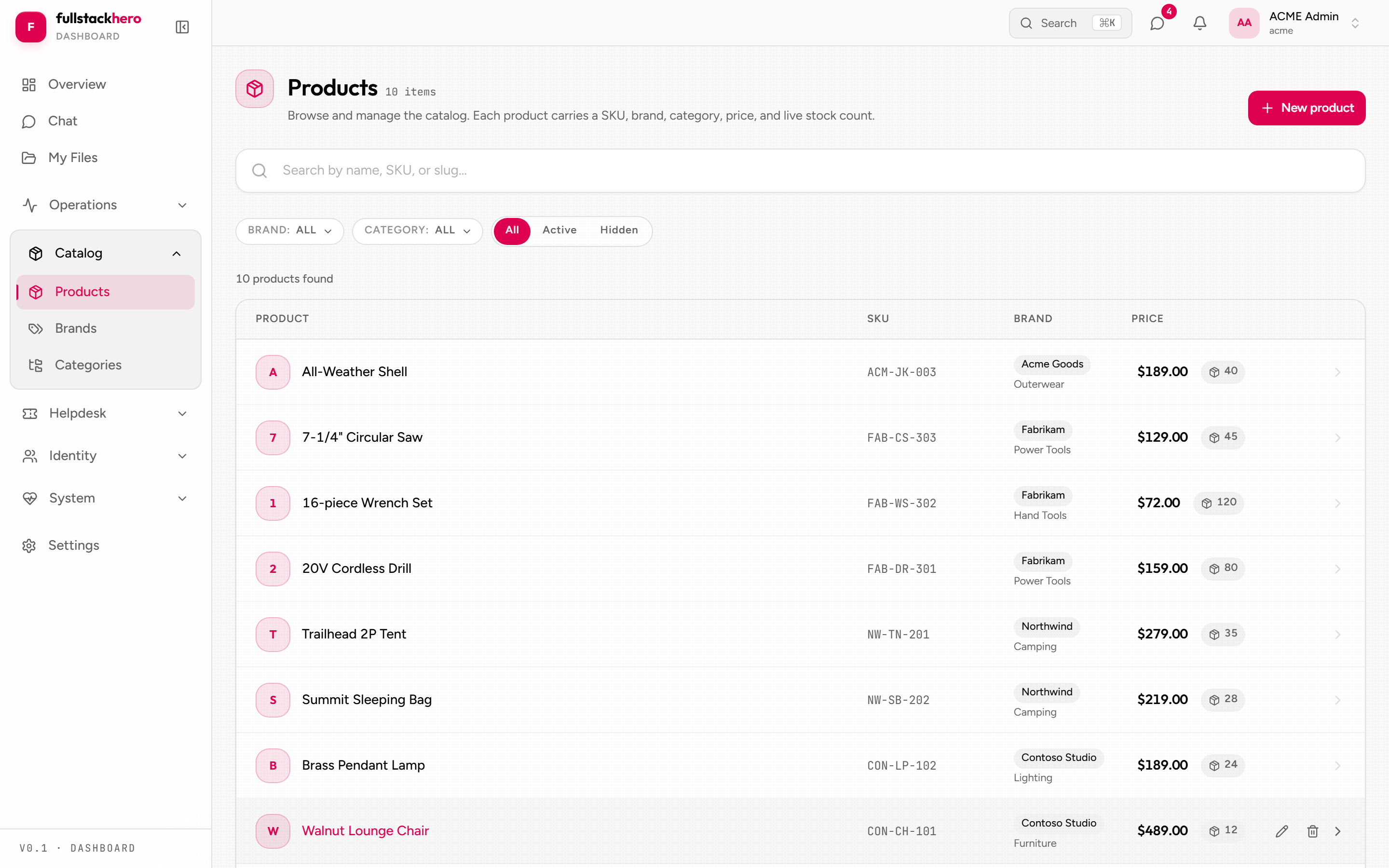
A product management surface over the Catalog module: paginated product list with search, brand + category list pages, and a product detail page with image gallery and an edit dialog.
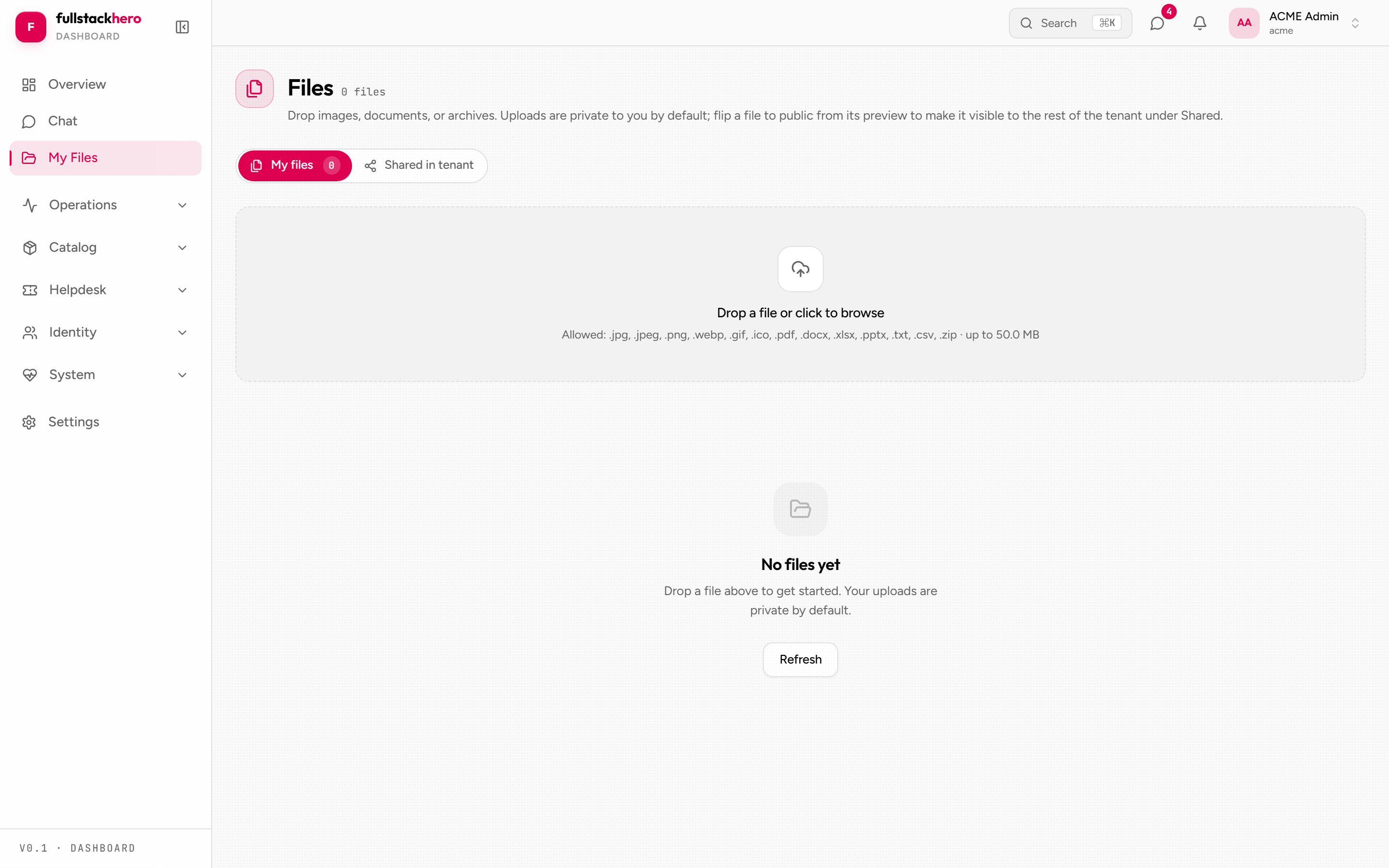
Files - presigned upload flow
clients/dashboard/src/pages/files/ (with the orchestration in src/hooks/use-file-upload.ts) implements the kit’s three-step presigned upload:
- Browser calls
POST /api/v1/files/upload-urlwith metadata (file name, size, content type, category) - the server mints a presigned PUT URL and reserves aFileAssetrow. - Browser uploads bytes directly to S3 (RustFS locally) via the presigned URL - no proxy through the API - with real upload progress.
- Browser calls
POST /api/v1/files/{id}/finalize- the server verifies the object and flips the file fromPendingUploadtoAvailable.
Tickets - file + track support requests
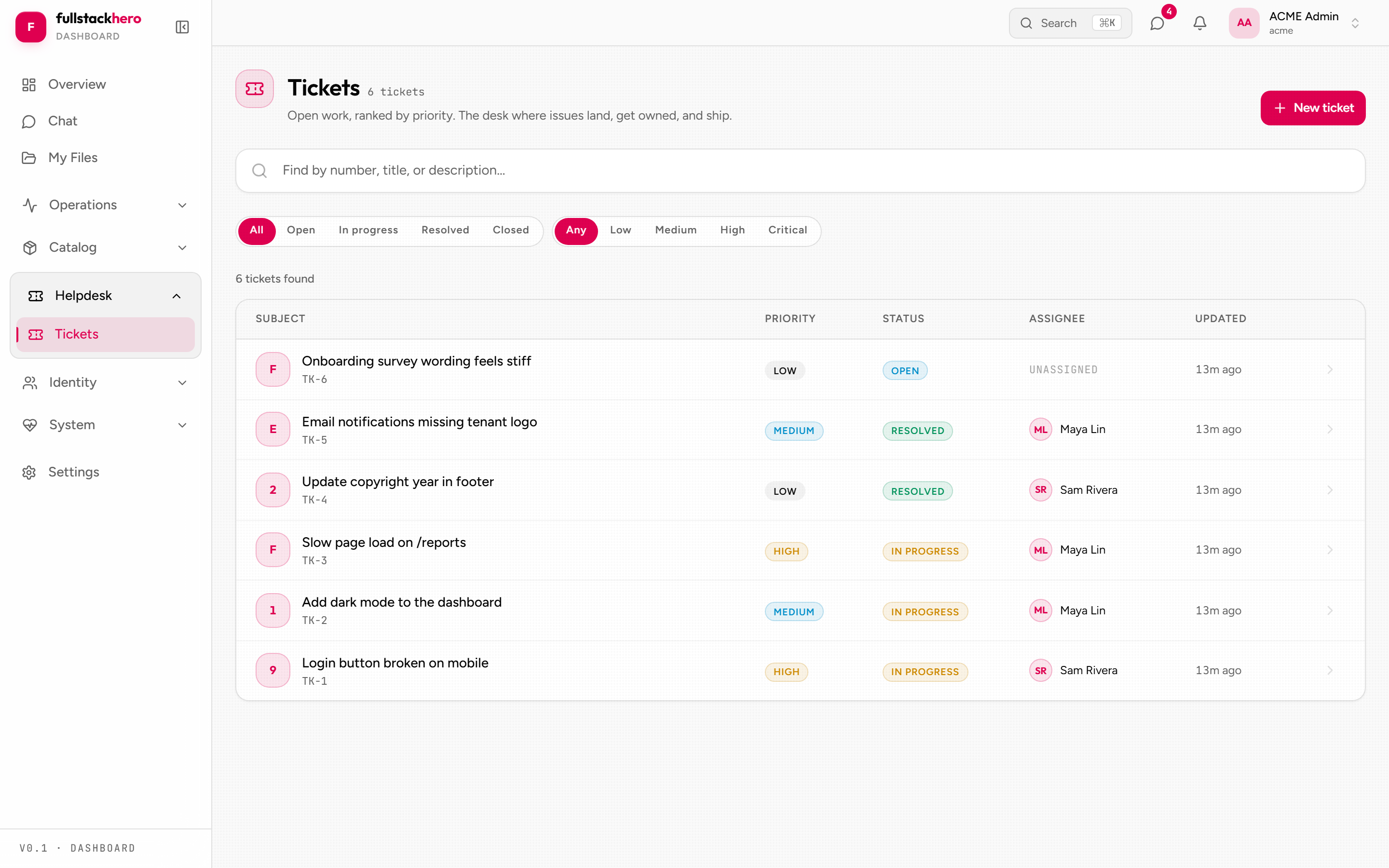
Filing tickets from the dashboard, with priority + (optional) assignee + comments thread.
Identity - tenant-scoped administration
pages/identity/ is where a tenant’s own admins manage their users, roles, and groups - list + detail pages for each, including a role permission editor driven by the server’s permission catalog (GET /api/v1/identity/permissions/catalog), so new module permissions appear automatically.
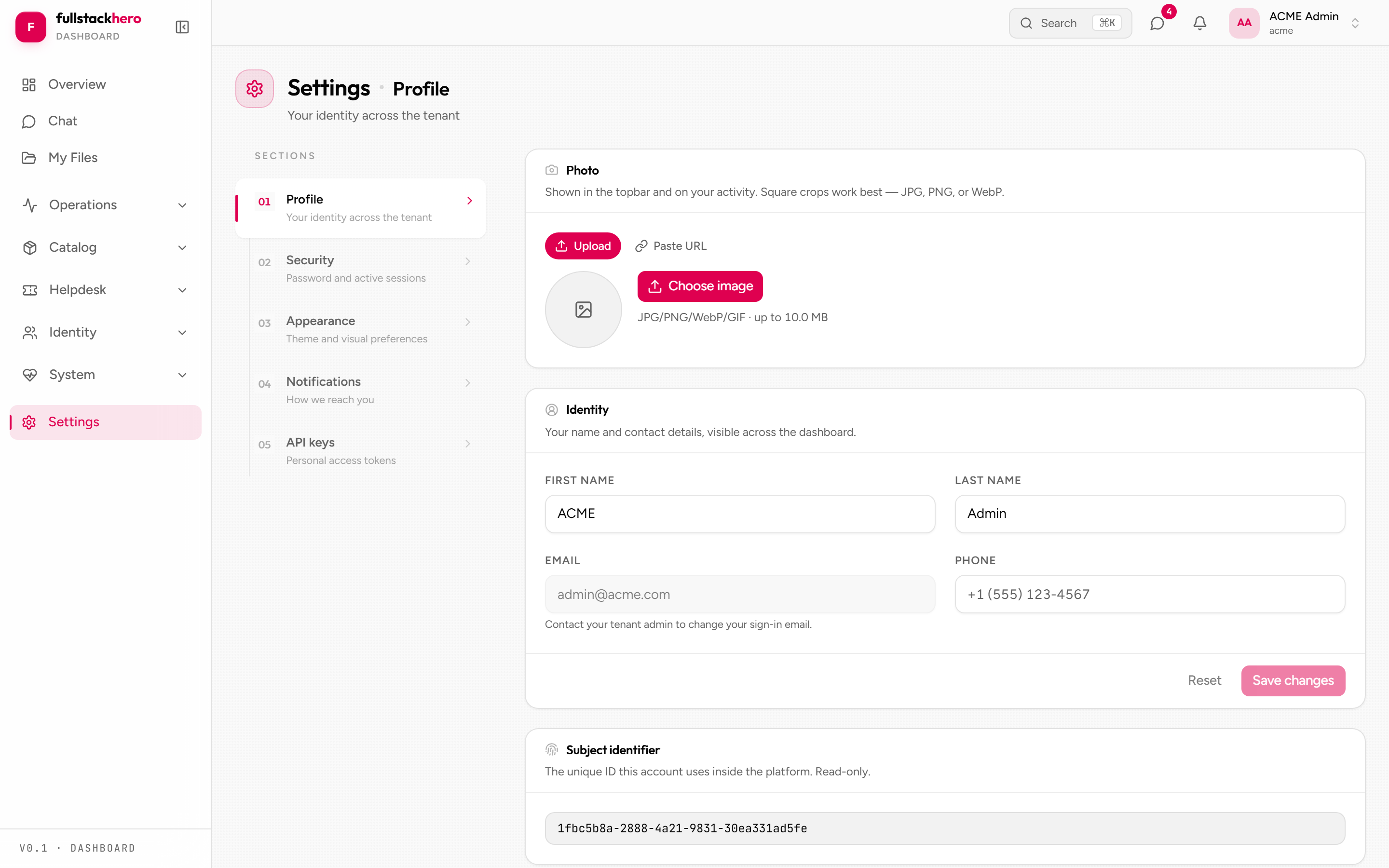
Self-service for the signed-in user lives under Settings instead:
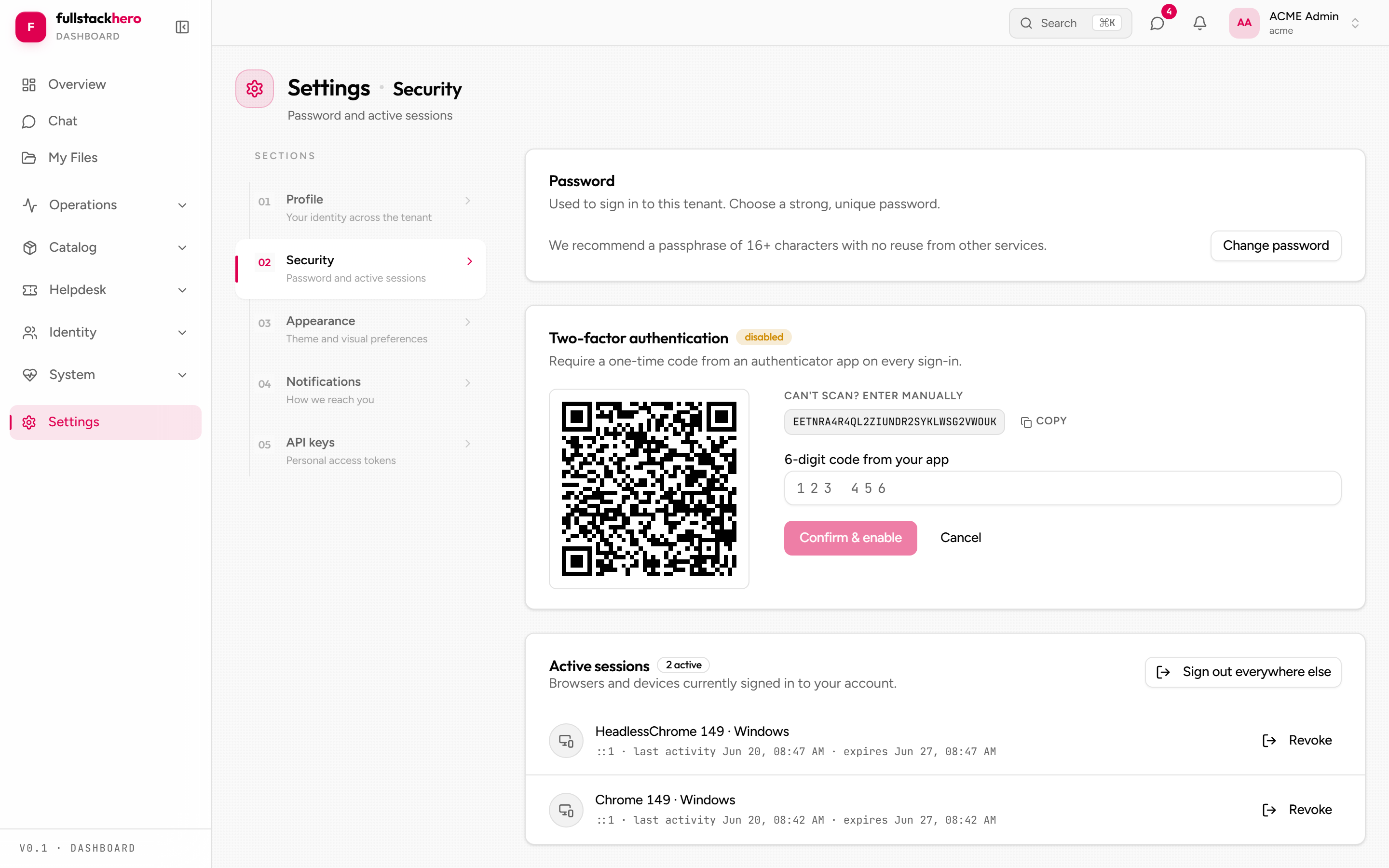
Settings - profile, security, appearance, notifications
Five tabs: Profile, Security (password + 2FA), Appearance (mode / accent / font / density / reduced motion), Notification preferences, and an API-keys placeholder.
Realtime architecture
Two transports, both mounted inside the authenticated shell (app-shell.tsx), so unauthenticated pages never pay for them:
SignalR - clients/dashboard/src/realtime/realtime-context.tsx owns one shared connection to /api/v1/realtime/hub:
// Subscribe in a component - returns/cleans up automaticallyuseRealtimeEvent<NotificationDto>("NotificationCreated", (n) => { /* ... */ });The context handles:
- Lazy-loading the SignalR client bundle on first connect.
- Token-aware rebuilds - login, refresh rotation, and impersonation switches all force a reconnect with the fresh token.
- Automatic reconnect with backoff + jitter (capped at 60 s), with status (
idle / connecting / connected / reconnecting / error) surfaced as a state pill. - Transport negotiation (WebSockets, then SSE, then long-polling) for proxy-hostile networks.
SSE - clients/dashboard/src/sse/sse-context.tsx streams the live activity feed. The client first exchanges its JWT for a short-lived stream token (POST /api/v1/sse/token), then opens GET /api/v1/sse/stream?token=... and parses the text/event-stream itself (fetch + ReadableStream, with reconnect/backoff). Overview and the Activity page render the same event buffer. The buffer lives in memory only and is empty after a refresh; the Activity page adds a Recent history section (latest 25 audits, loaded once per visit) for users with Permissions.AuditTrails.View, and the Overview’s Recent audits card is gated on the same permission.
Local development
cd clients/dashboardnpm installnpm run dev # http://localhost:5174 with HMRThe Vite dev server proxies /api (with WebSocket forwarding for SignalR), /health, /openapi, and /scalar to the backend - https://localhost:7030 by default, overridable with a VITE_API_BASE_URL env var (dev proxy target only; runtime config comes from /config.json). In dev, Vite serves a config.json that points the long-lived SSE/SignalR streams straight at the API instead of through the proxy, so they don’t starve the browser’s per-host connection budget.
The dashboard’s config.json also carries a demoMode flag that surfaces a demo-account picker on the login page - a runtime flag, so a single build can enable it in staging and omit it in production.
When run via the kit’s Aspire AppHost, the dashboard wires automatically - the API, admin, and dashboard all come up with one command.
Related
- Admin console - operator-facing companion.
- Frontend architecture - shared patterns.
- Theming - per-tenant brand customisation.
- Chat module - the API the chat surface wraps.
- Files module - the API the upload flow wraps.